
Enterprise Banking
Web . Responsive
UX Research
UXUI Redesign
B2C
B2B
MVP Launched
Role
Lead Product Designer
Timeline
May – Nov 2025 (MVP 1)
Platform
Web (Responsive)
Scope
Retail & Corporate
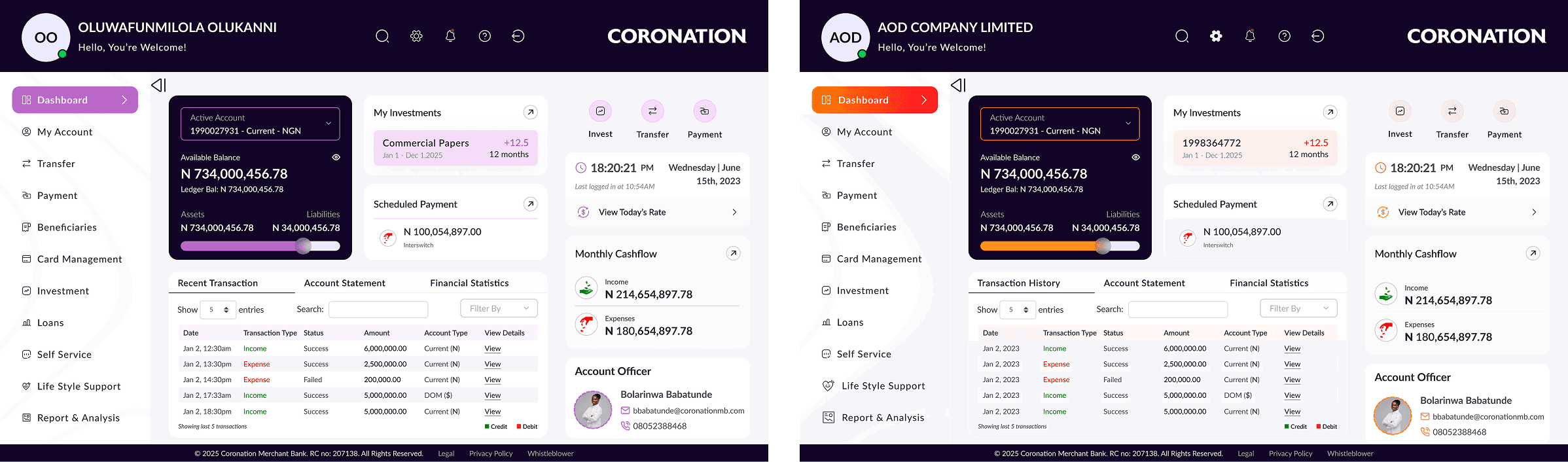
Nov '25
MVP 1 launched on time and on scope
2 Types
User segments served Retail & Corporate
+75%
Improvement in user satisfaction score
Positive
Positive customer response at launch
The Core Problem Statement
Coronation Merchant Bank's existing internet banking platform was failing its customers technically, experientially, and commercially. Retail clients lacked self-service capabilities and financial clarity. Corporate clients were hampered by clunky approval workflows and limited bulk-processing tools. The platform was non-responsive on mobile and couldn't scale.
Retail pain points
Affluent & Private Banking Clients
No holistic financial view
5+ clicks to download statements
Poor mobile experience
Frequent session timeouts
Corporate pain points
SME, Corporate & Institutional Clients
Opaque Maker-Checker flows
No bulk payment upload
No audit trail visibility
No audit trail visibility
"The old platform felt like a chore. I sometimes had to send instructions to my relationship manager because it's faster than fighting with the online banking."
- Corporate Banking Client
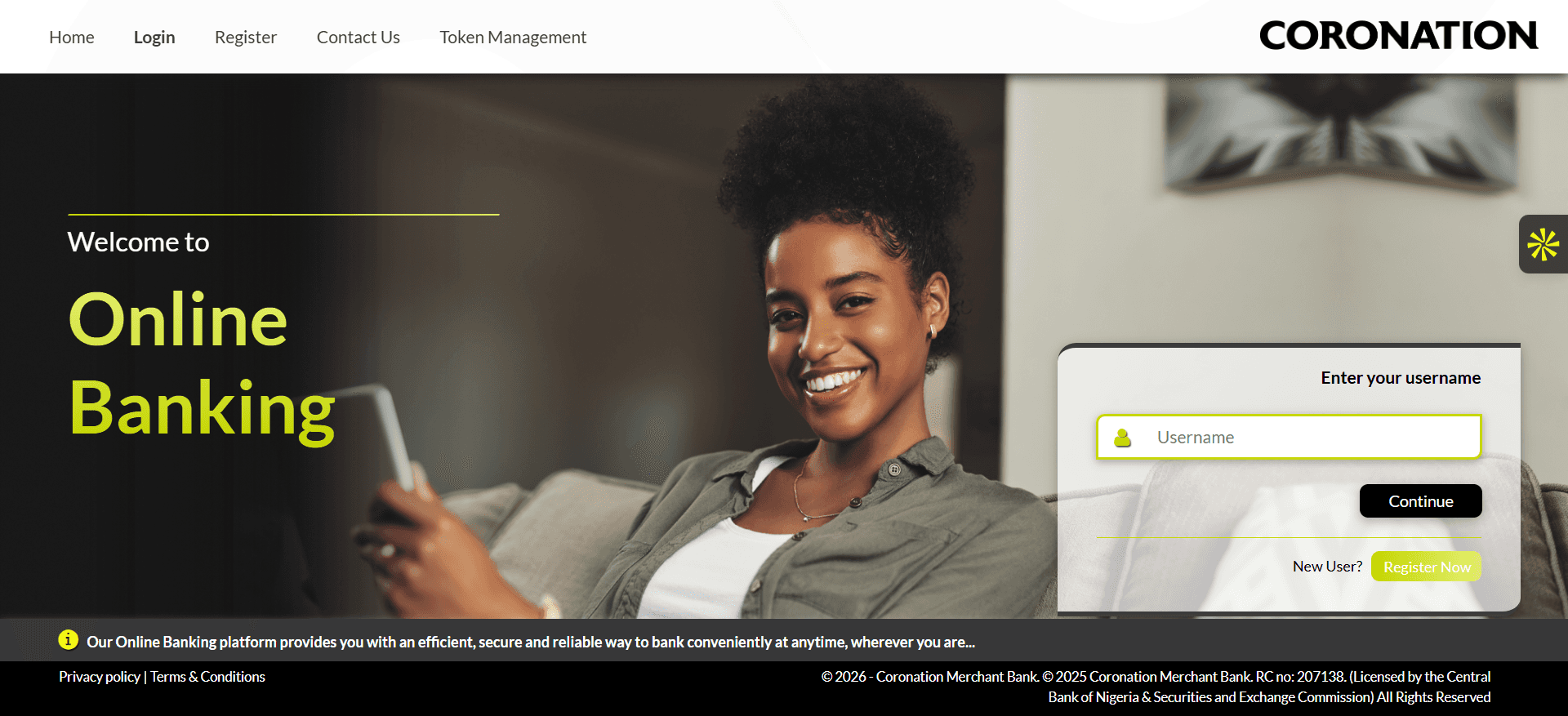
Username login screen
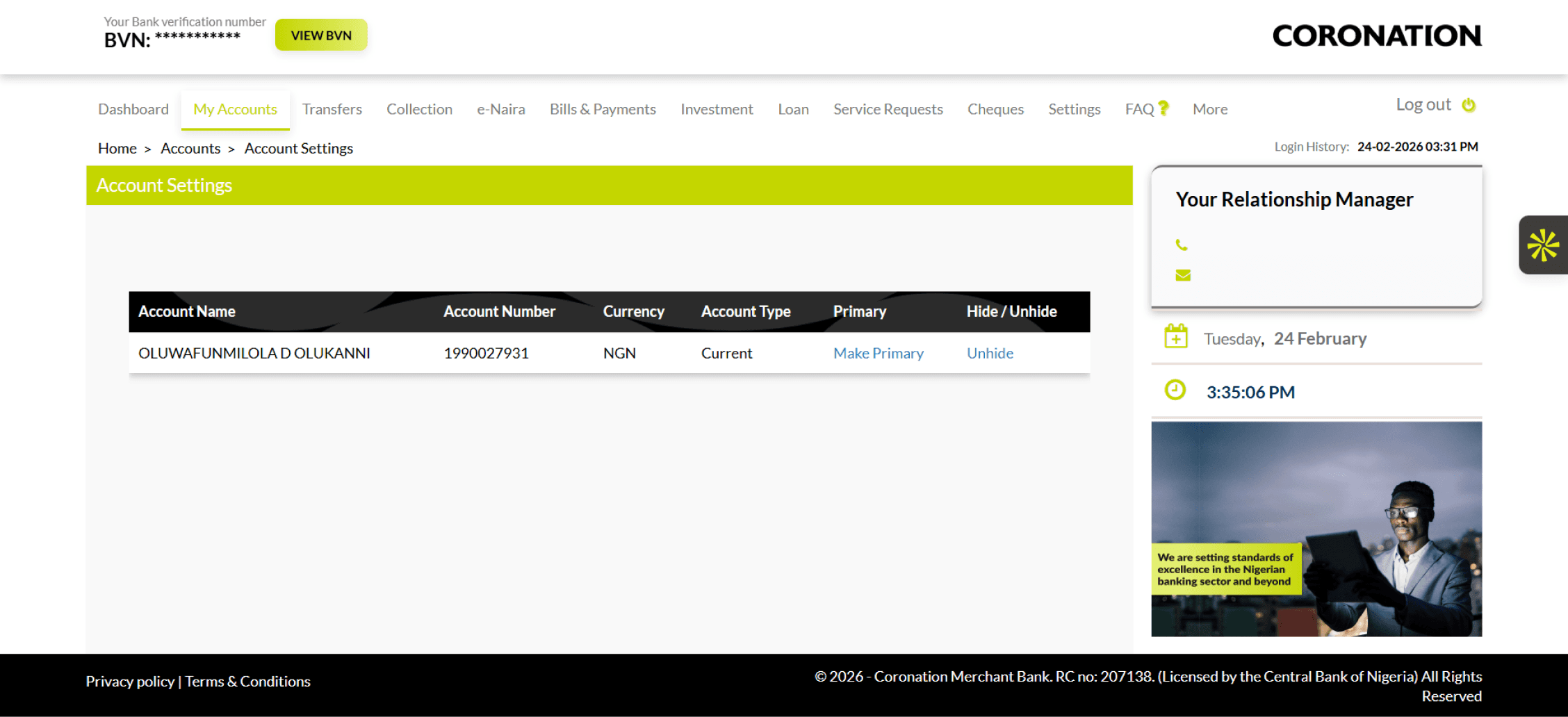
Account Details Screen
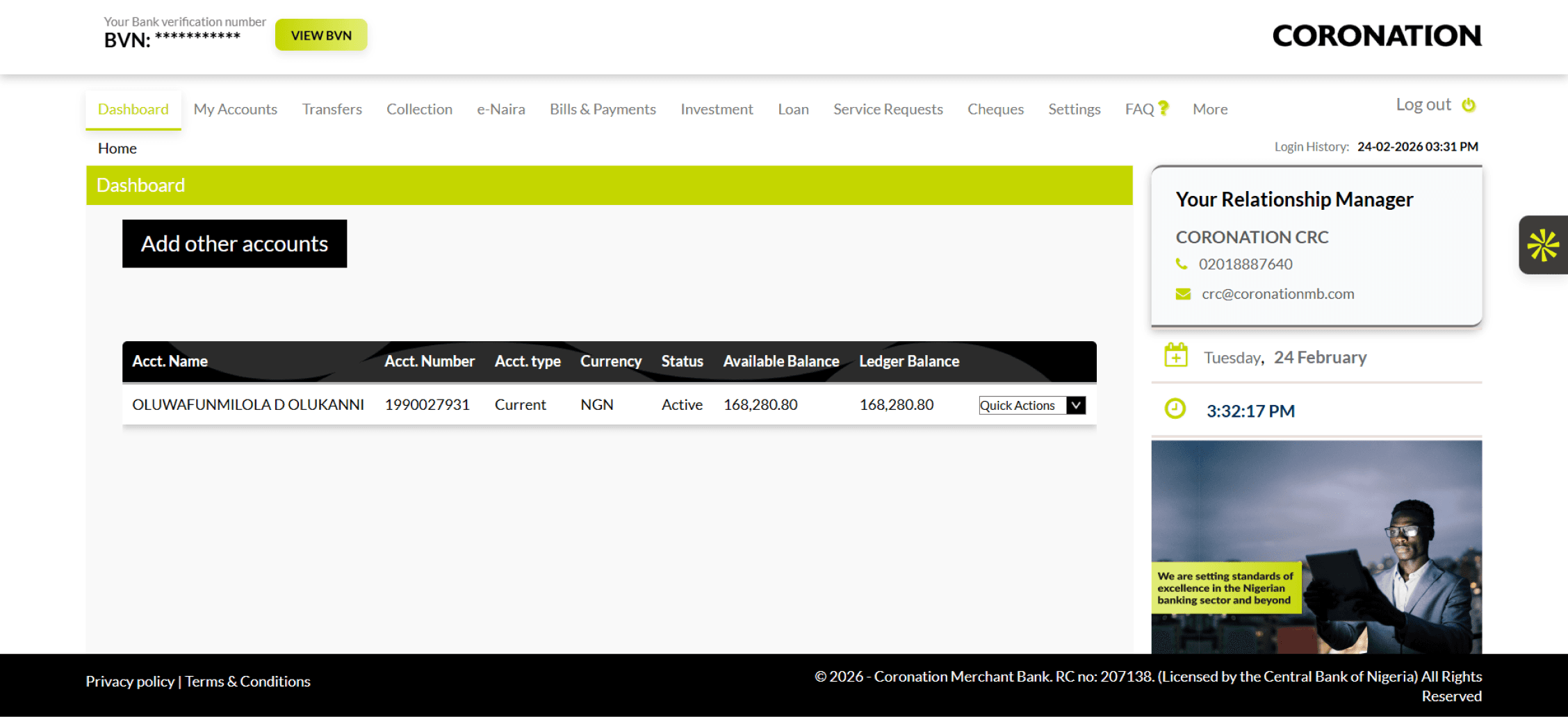
Dashboard screen - cluttered, no hierarchy
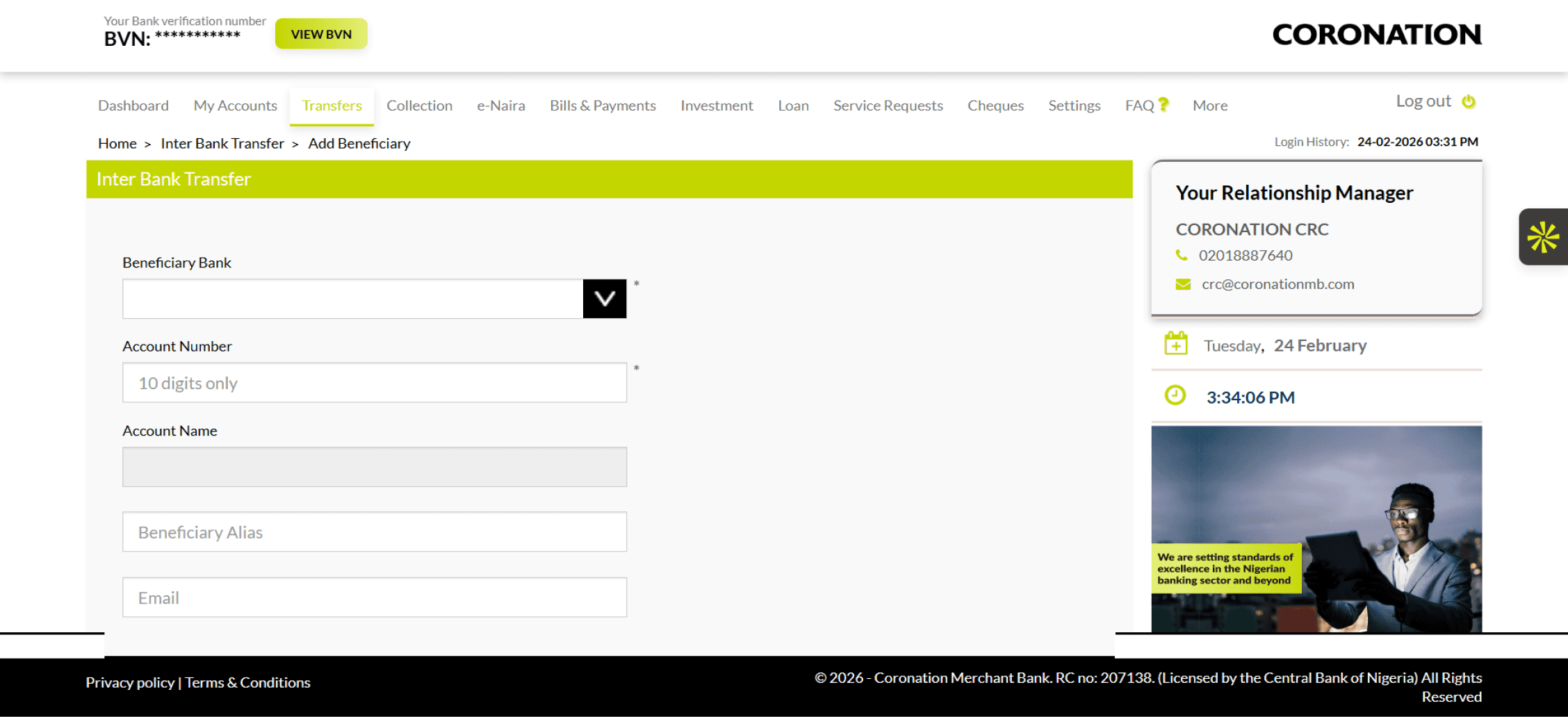
Transfer Screen
Understanding the Problem Space
Before any wireframe was sketched, extensive discovery was conducted stakeholder interviews with 15+ senior leaders (CTO, CISO, Group Heads of Corporate, Affluent, Private, and Investment Banking), direct customer interviews across three user segments, and analysis of historical platform feedback data.
Retail user needs
Affluent & Private Banking Clients
Simplicity & speed
Holistic financial overview
Self-service capabilities
Mobile-first access
Investment & loan visibility
Corporate user needs
SME, Corporate & Institutional Clients
Role-based access control
Maker-Checker workflows
Bulk payment processing
Payroll & multi-account management
Downloadable audit trails
Based on research synthesis, I established five core design principles that would guide every decision throughout the project:
Retail and Corporate experiences tailored to context while sharing a unified design system.
Security measures should protect without creating barriers that frustrate legitimate users
High-frequency tasks (transfers, statement downloads, approvals) should be completable in as few steps a
possible.
A banking platform earns trust through predictable, reliable interactions. Visual and interaction consistency is non-negotiable.
Every screen should communicate, not impress. Users should always know where they are and what to do next.
Information Architecture & User Flows
Full information architecture was mapped for both user types before a single screen was designed, covering 10+ feature areas: Onboarding, Authentication, Account Management, Transfers, Payments, Alerts, Reports, Banking Services, Customer Support, and an Admin Portal.


Step-by-step flow for individual customers making interbank transfers

Dual-control authorization workflow for corporate banking transactions
Wireframing: Thinking in Structures
Low-fidelity wireframes tested structural logic and surfaced key decisions card carousel vs. tabular dashboard, sidebar vs. top nav, single vs. split-step transfer flows. A scalable Figma component library was then built as the single source of truth across 50+ screens.
Wireframe: Dashboard Explorations
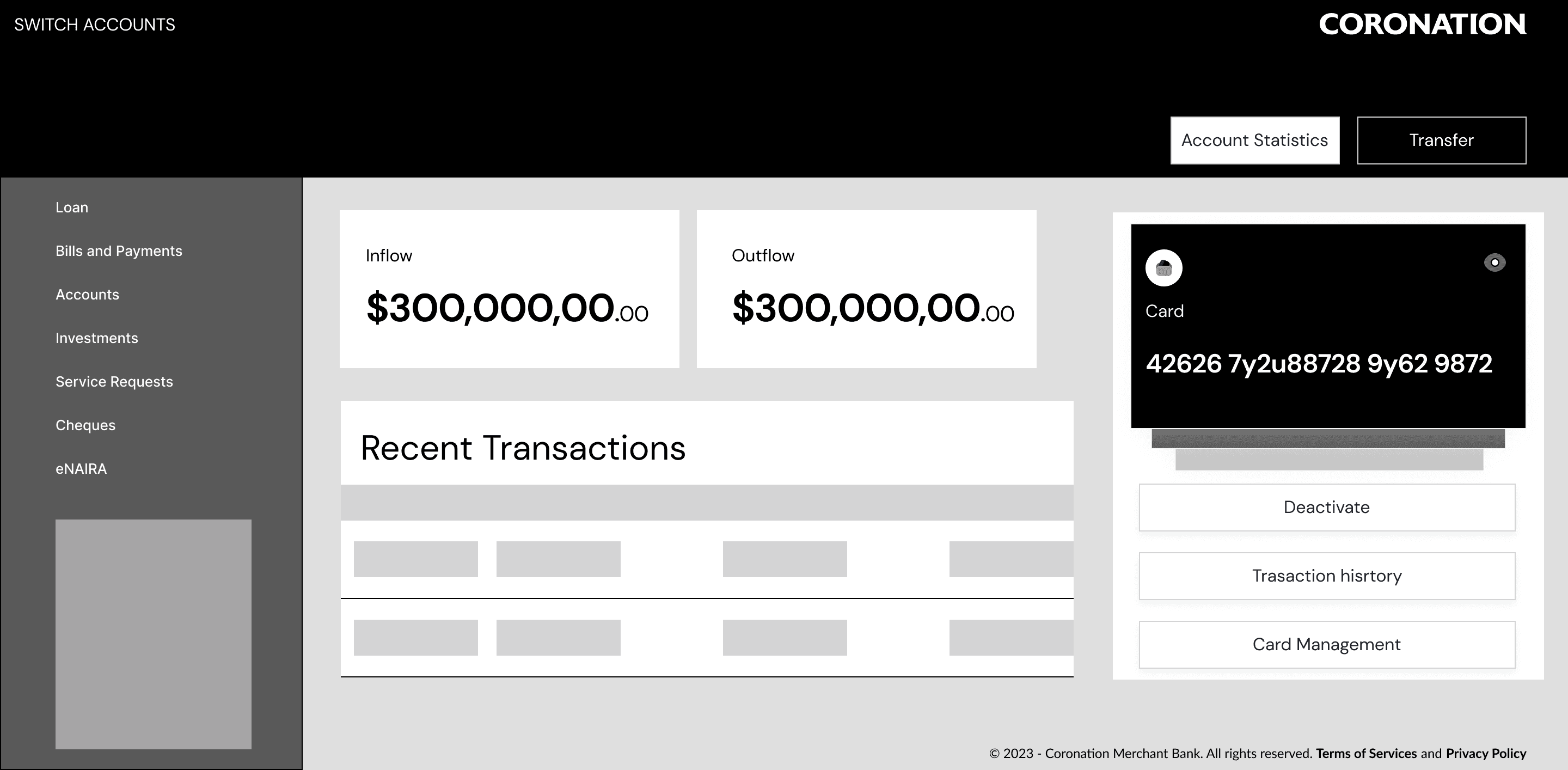
Dashboard layout Iteration 1

Dashboard layout Iteration 2
Designed two distinct flows a manual card-based experience for Retail users and a CSV/Excel bulk upload with validation for Corporate users. The choice was grounded in research: corporate finance teams already work from pre-prepared payment files; forcing manual re-entry would introduce errors and friction.
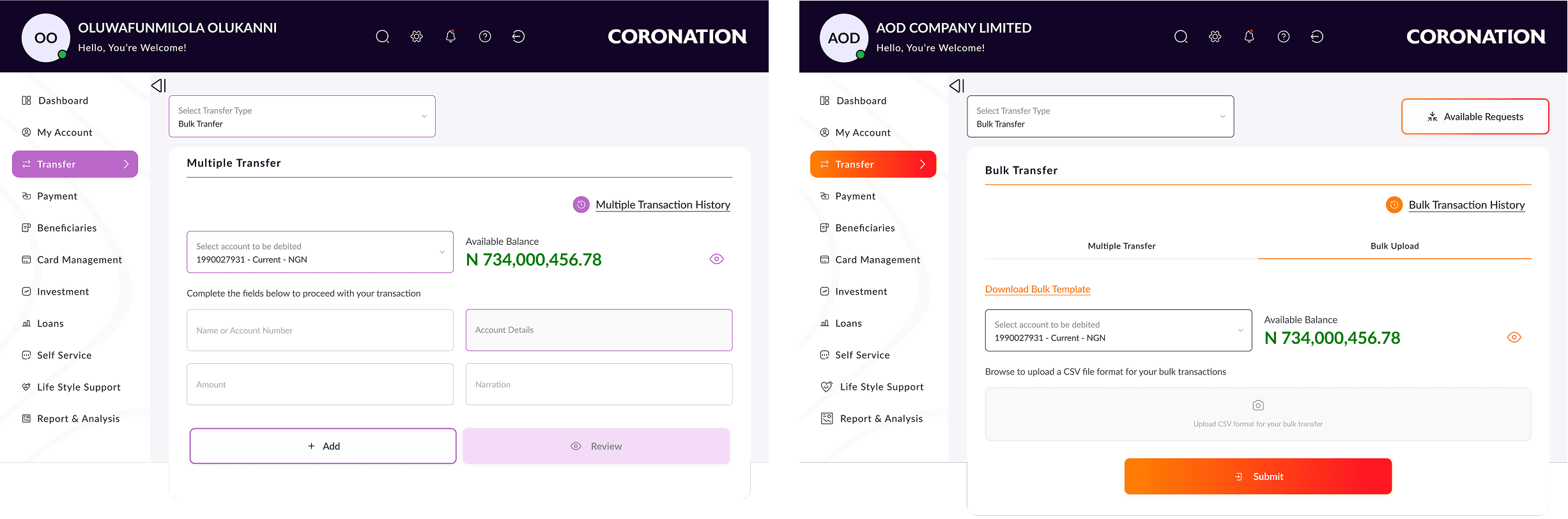
Dual-Mode Multiple Transfer
Rebuilt corporate payment authorization to give Approvers rich transaction context before action. Full audit trails who initiated, who approved, timestamps are now visible and downloadable, reducing approval errors and building systemic trust.
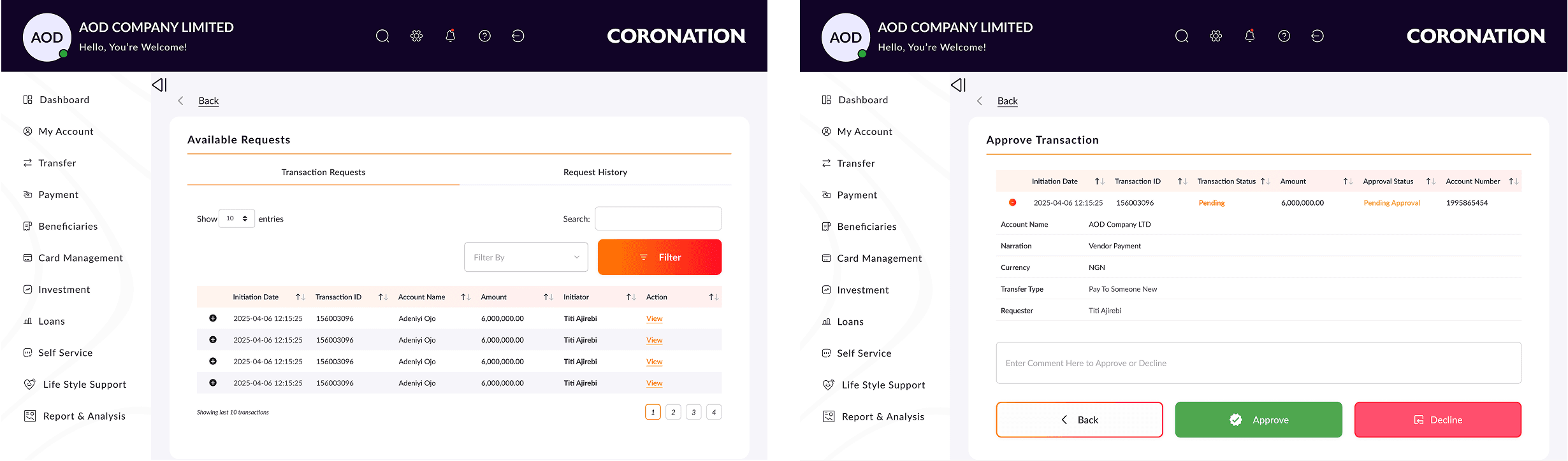
Maker-Checker Workflow Redesign
Surfaced the most common actions upfront while making advanced features (FX, bulk payments, scheduling) accessible via contextual selectors. Kept the interface clean without hiding functionality.
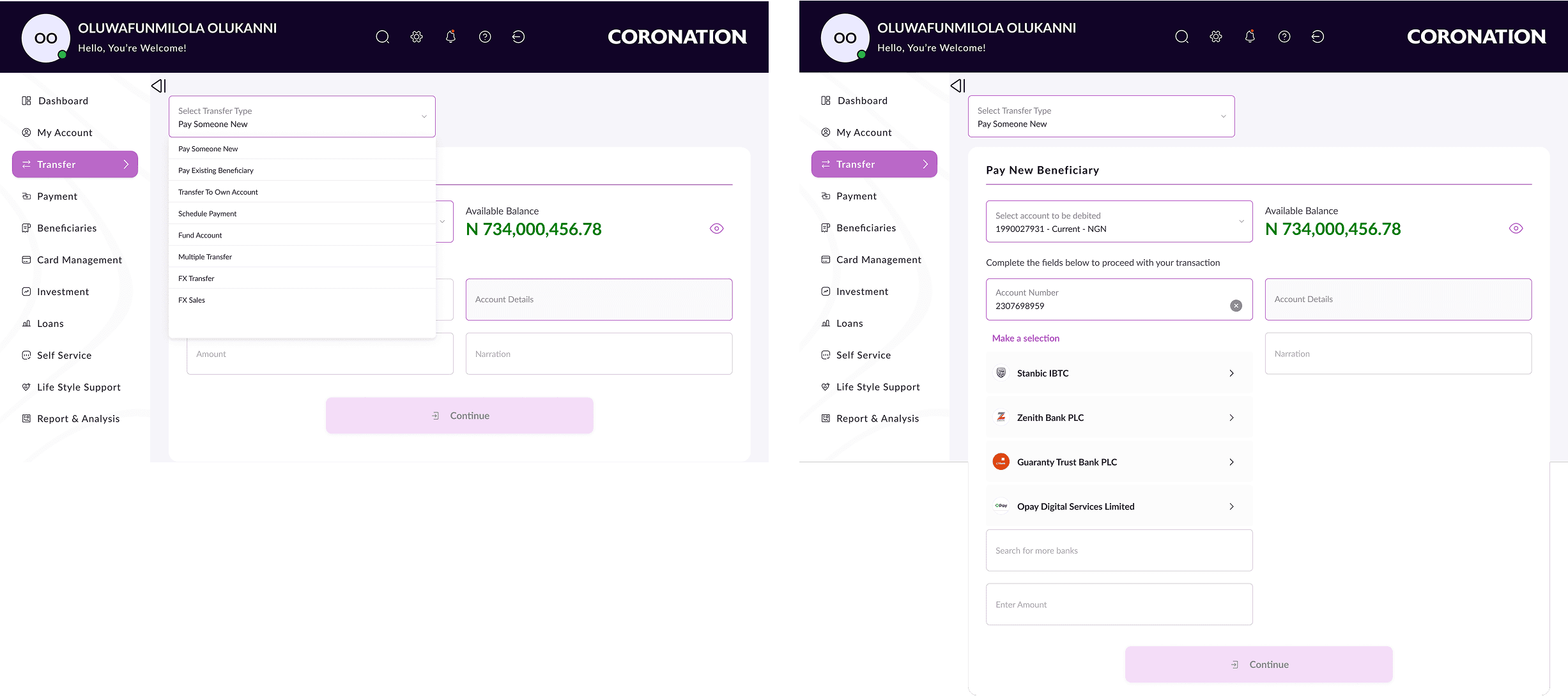
Progressive Disclosure for Complex Features
Surfaced available balance directly on payment and transfer screens with a hide/show toggle eliminating the need to navigate away mid-transaction. Directly reduced cognitive load and prevented transaction errors.
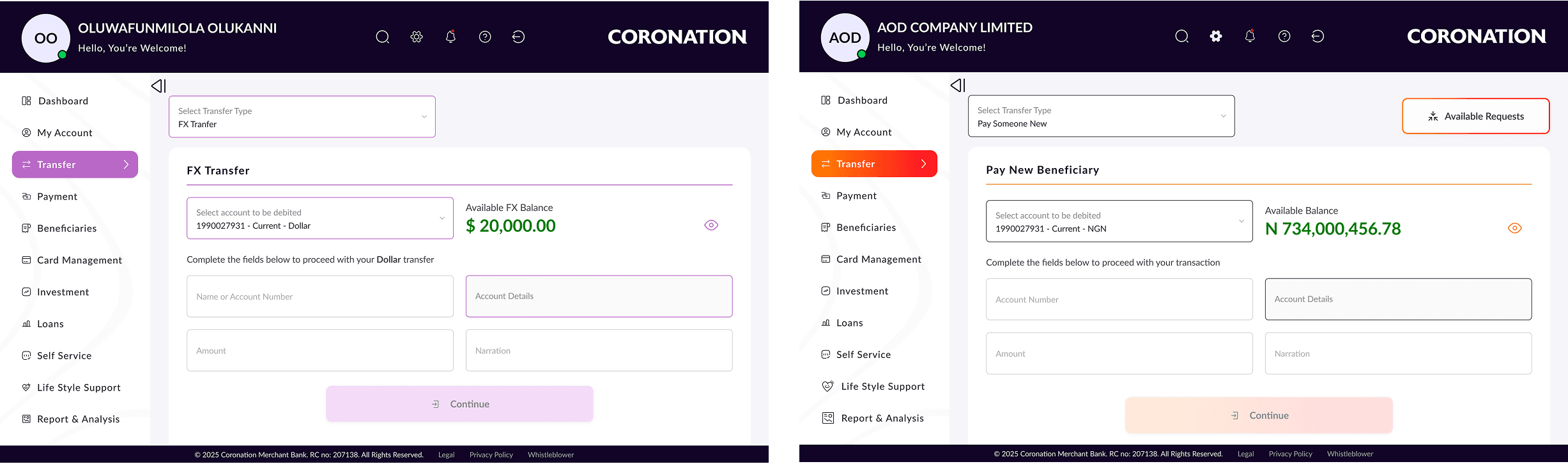
Showing Live Balance in Transfer Flows
MVP 1 launched in November 2025, on time and on scope a fully redesigned platform covering onboarding, login, dashboard, accounts, transfers, payments, beneficiary management, FX transfer investments, cards, an admin portal and so on.
High onboarding adoption from existing customers invited to migrate
Reduction in support calls related to navigation and feature discoverability
Reduction in support calls related to navigation and feature discoverability
Corporate clients specifically praised the redesigned Maker-Checker workflow
- Retail Banking Customer, Post-Launch Feedback
- Corporate Banking Customer, Post-Launch Feedback
What Worked Well
Leading with research grounding decisions in user data
Building the design system early
Staying close to development
Progressive scope management
What I Would Do Differently
Earlier and more frequent usability testing
Earlier involvement of Customer Service team
More formal design specification documentation
MVP 1 is live and performing well. The roadmap ahead includes: The Prime Brokerage, Payment Tags, Lagos State Collections, Daily Limit Management, MyBankStatement initiative, Prime Brokerage, NIBSS Direct Debit, Card Management, Life Style Support, Report and Analysis, expanded investment and loan self-service capabilities, and continued performance optimization. The design system and component architecture built for MVP 1 were deliberately engineered to support these evolutions.
© 2026 Oluwafunmilola Olukanni. All rights reserved.
Senior Product/UXUI Designer · Lagos, Nigeria